Pinnacle Penguin
I worked with a team to create a Book Club website called Pinnacle Penguin.
Designed for book enthusiasts to share reviews, and engage in discussions.
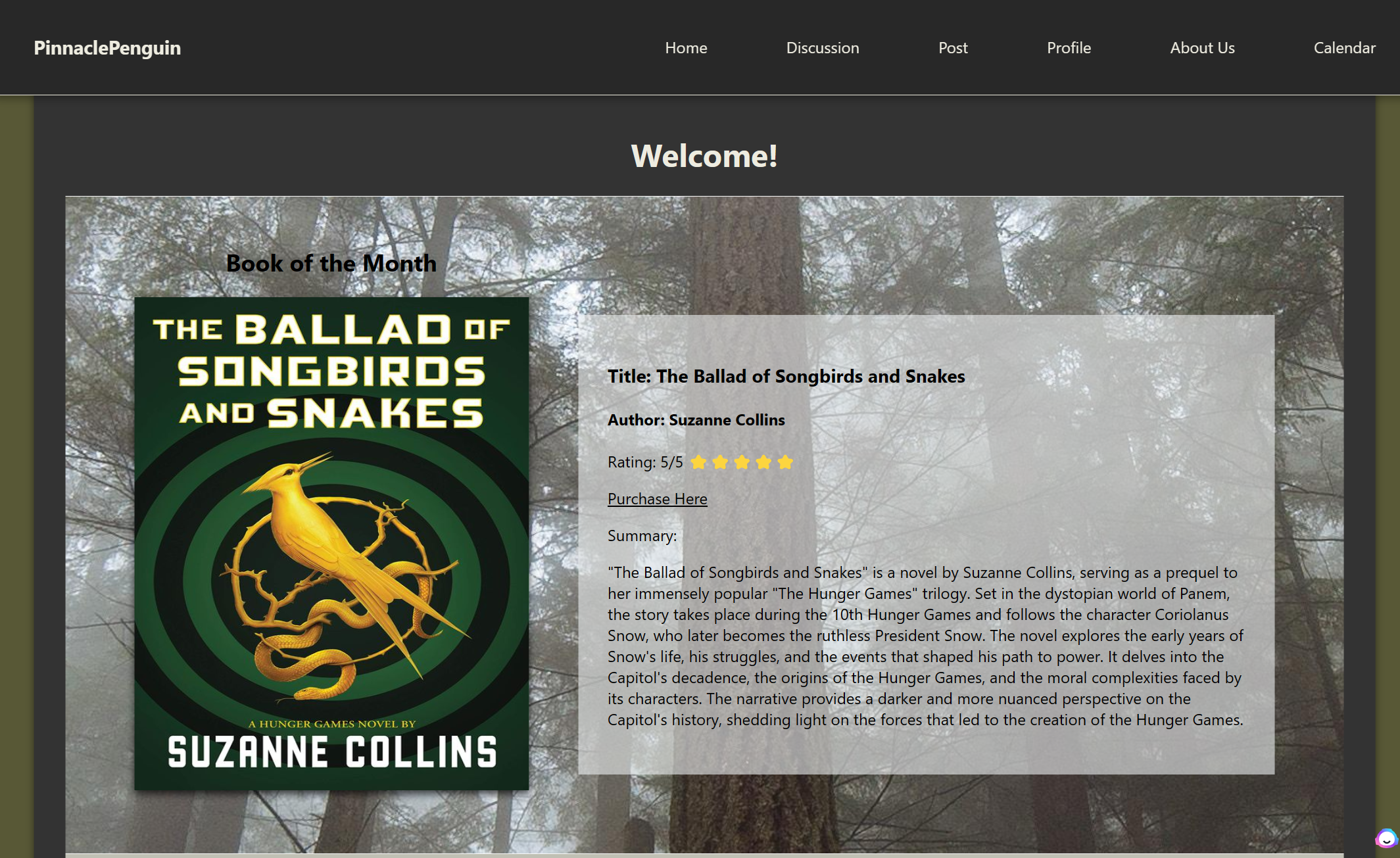
In the exciting world of literature, people are always looking for the next captivating read. Pinnacle Penguin emerges as a venture into the realm of online book clubs and brings a level of connectivity and a sense of community to readers around the globe. Our objective is to provide a platform where readers can surround themselves with like-minded people and a shared love for books. Members can participate in events, have discussions, recommend books to each other, review and rate books they have read, and ask questions in a seamlessly organized and efficient digital space.
The primary goal of the Pinnacle Penguin Book Club is to develop a user-friendly platform that enables users to connect, discuss, and share their passion with a community of people who enjoy reading. The features and content of the website are meant to enhance user satisfaction and engagement. Another objective is to promote meaningful discussions and allow users to foster a safe space to ask questions, give opinions, and make new friends with other book lovers.
Development Process
We built the client-side using HTML, CSS, and React.js, ensuring a dynamic and responsive user interface with smooth navigation and interactive components. On the server-side, we utilized Node.js and Express.js to manage backend logic, handle user authentication, and process data efficiently. We integrated MySQL to store user information, book details, and discussion threads securely, while MongoDB was used to manage unstructured data, such as user-generated reviews and comments. Additionally, We integrated the Zoom API into our event calendar to automate the scheduling of virtual book club meetings. By connecting Zoom’s API with our server, we enabled the automatic creation of Zoom meetings whenever a new event was scheduled. When a user creates an event, our backend—built with Node.js and Express.js—sends an API request to Zoom’s servers, generating a unique meeting link, ID, and access details. These details are then stored in our MySQL database and dynamically displayed on the event calendar for attendees. Our team leveraged JavaScript across both the front-end and back-end to create a seamless, full-stack experience.
Throughout development, we used Visual Studio Code as our primary IDE for writing and debugging code. GitHub played a crucial role in version control and team collaboration, allowing us to manage code changes, track progress, and merge contributions efficiently. By combining these technologies, we successfully built a fully functional book club website that provides an engaging space for readers to connect and share their love for books.
User Interface Design
- When a user navigates to our site they'll be prompted to sign in at our login page. If they don't have an account, we have a link to our registration page, which will allow them to sign up. After users enter the correct credentials, they gain access to our site.
- Once the user successfully logs in, they can view the homepage, which showcases the most recommended book and provides a summary and a purchase link. We’ve also incorporated a section that allows users to scroll through popular books discussed within our site.
- On the Profile page, users can view their personal information, such as their email and username, and log out of the website.
- On the post page, users can create discussion posts to share their thoughts and opinions about books. After the user submits the post, it’s displayed on the discussion page with the user’s username and a time stamp.
- On the discussion page, users can click on the post, and it will take them to the current discussion related to that post. There, they’ll be able to comment on the discussion post.
- Users also have the ability to rate (upvote/downvote) and add reviews to books they have read.
- Users can add an event to the event calendar on a specific date and time, along with the Zoom meeting ID and password to host online Zoom meetings where they can discuss upcoming books.
Pinnacle Penguin Demo
Feel free to view this project in Github!